


My Garden Tale
4.41.28K Reviews
App Specs
- Version
- Varies with Device
- Updated On
- License
- Free
- Downloads
- 1,000,000+
- Developer
- Modo Global
- Categories
- Simulation
- Platform
- Android
Screenshots




 Analysis by AppCompare
Hey there, fellow plant enthusiasts! If you’ve ever dreamed of cultivating your own lush garden without getting your hands dirty, then let me introduce you to My Garden Tale. I’ve had the chance to dive into this app, and let me tell you, it’s a delightful way to bring the magic of gardening right to your smartphone.
Getting Started with Your Virtual Green Thumb
First off, downloading My Garden Tale is a breeze. Whether you’re on Android or iOS, just head to your app store, and in a few taps, you’re ready to start your gardening adventure. The app kicks off with a quick and friendly tutorial, which is perfect if you’re new to virtual gardening or need a little refresher.
For a little context before you settle in, this is a free simulation game from Modo Global, with a 4.6 average from around 1.8 thousand ratings and over 100 thousand installs. It is rated for Everyone, so its gentle garden theme should suit a broad range of players. I’d still approach the real-bouquet angle with sensible expectations: the idea is part of the game’s appeal, but I wouldn’t treat a mobile game as a dependable way to obtain something outside the screen.
Once you're in, you’ll find yourself in a charmingly animated garden space that’s just waiting for your creative touch. The visuals are vibrant and engaging, making it feel like your own personal Eden.
Planting and Growing: A Blossoming Experience
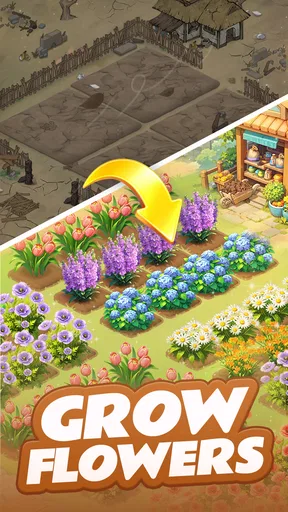
Let’s talk about the heart of the app: planting and growing your garden. You have a wide variety of plants to choose from, ranging from cute little succulents to towering sunflowers. The selection is impressive, and there’s something for every plant lover.
Planting is as simple as selecting your seed, tapping on a plot, and voila! You’re on your way to cultivating your masterpiece. Each plant has specific needs, and the app does a great job of guiding you through watering schedules and plant care tips. It’s like having a pocket-sized gardening guru right there with you.
The practical strength of this setup is that it gives each short visit a clear purpose. Instead of opening a broad life simulator and having to decide what to do among many unrelated activities, I can focus on the small loop of tending a plot and shaping the garden. If I have only a spare moment, I can make one modest change and leave; if I have longer, the garden gives me room to think about how the pieces look together. That flexibility makes it easier to fit into a busy day without turning every session into a commitment.
Worth Reading Before You Choose

EA SPORTS FC Mobile 26 Is a Bigger Football Game, but It Takes Time

Flipboard Shows What News Apps Must Do Beyond the Feed

Switching to Android Auto Means Rethinking Your Driving Routine

Google Calendar Makes a Crowded Week Easier to Manage

Ludo King Makes the Most of the Minutes Between Plans

Baby Panda World Brings Quick Play to Modern Phones, but Its Game Library Feels Busy
My useful tip is to resist changing everything at once. I’d choose a small area, plant with a loose visual theme in mind, and then see how it feels before spending time decorating the whole space. A simple patch of coordinated flowers can give you a clearer sense of what you enjoy than a crowded garden where every new item competes for attention. This is especially helpful if you like the creative side but don’t want to spend a long time planning layouts before you can enjoy the result.
There is also a trade-off in the low-pressure approach. A gardening simulation is appealing partly because tending plants feels orderly and soothing, but repeated care prompts can become routine if you are looking for complex strategy. I’d see the plant needs as gentle structure rather than a demanding horticulture lesson. If you want an accurate guide to growing real succulents or sunflowers, a dedicated gardening resource is a better choice; this game’s value is in turning care into a pleasant, approachable activity.
Challenges and Events: Keeping Things Fresh
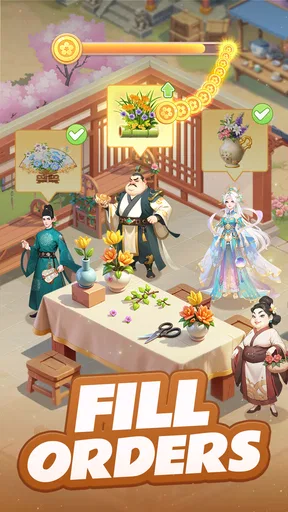
One of the features I really enjoyed is the regular challenges and seasonal events. These add a layer of excitement and keep you coming back for more. Whether it’s a spring flower festival or a Halloween pumpkin patch, there’s always something new to keep your garden growing and evolving.
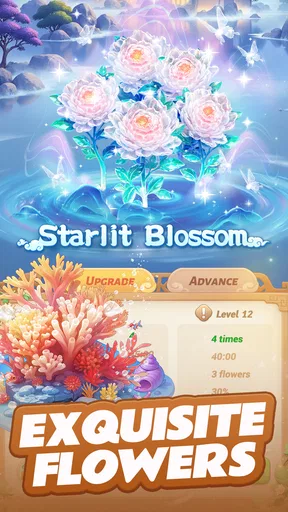
These events not only give your garden a fresh look but also offer rewards that can be used to unlock even more plant varieties and decorative items. Trust me, it’s hard to resist the urge to collect them all!
Events change the rhythm of play: they give a collector a reason to return, while also offering a theme for players who otherwise might not know what to do with a blank corner. I’d use them as optional prompts, not as a checklist that has to be completed. If an event’s look appeals to you, it can inspire a garden refresh; if it doesn’t, there is no need to force a design that doesn’t suit your taste just to chase every reward.
That distinction matters for anyone wondering whether this is a game that demands daily attention. Its garden theme makes a quick check-in feel natural, but the best reason to return is enjoyment, not anxiety about missing out. Seasonal activities can make a casual game feel more alive, yet they can also add pressure for players who dislike limited-time goals. If you prefer to play entirely at your own pace, treat those activities as background flavor and concentrate on the plants and layout you already like.
Another sensible habit is to decide what kind of collection you actually want before chasing every unlock. A garden built around a few favorite colors or plant shapes can feel more personal than one that tries to display every reward. That also helps keep the creative part enjoyable: collecting gives you options, but choosing what belongs in your space is what makes it feel like your own. I’d prioritize items that support a look you want rather than assuming that every new prize needs to be placed immediately.
Social Features: Sharing the Green Love
If you’re the type who loves to share your creations, My Garden Tale has you covered. You can connect with friends, visit their gardens, and even exchange tips and tricks. It’s a great way to get inspiration and maybe a little friendly competition going on who has the greenest thumb.
The social aspect adds a fun community vibe that makes the app even more enjoyable. Plus, it’s always cool to see how others design their gardens and maybe pick up a few ideas for your own.
For a more practical use, visiting another player’s garden can work like browsing a small, interactive mood board. Rather than copying a whole layout, I’d look for one detail—a color pairing, an arrangement of decorations, or a way of making a small area feel complete—and adapt that idea to my own space. That keeps social play useful even if you are not interested in competing. It also gives a natural answer to the question of what to do when your own garden feels visually stuck: take a look around, then return with one specific idea to try.
Social features are not essential to the central appeal, though. If you would rather keep a game private or simply do not have friends who play, the creative garden can still be the main attraction. On the other hand, players who expect a deep multiplayer simulation may find the social layer more inspirational than substantial. I’d choose this for sharing and casual discovery, not as a substitute for a competitive online game with elaborate team or match systems.
Customizing Your Garden: Let Your Creativity Bloom
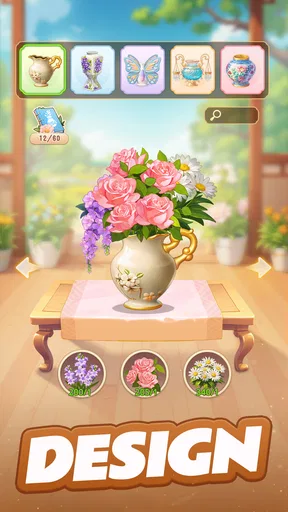
Customization is another strong suit of My Garden Tale. The app offers a ton of decorative items, from pathways and garden gnomes to fountains and birdhouses. You can truly make your garden a reflection of your style. The possibilities are endless, and it’s easy to lose track of time while perfecting your little corner of paradise.
And if you’re feeling particularly creative, the app allows you to rearrange and redecorate your garden whenever you like. It’s as simple as dragging and dropping, making it easy for anyone to create a masterpiece.
Being able to move things around is more than a convenience; it lowers the cost of experimenting. I’d try a layout, step back, and rearrange it if the paths or decorations make the garden feel busy. That freedom is useful for players who enjoy visual design but don’t have a fixed plan from the start. A good workflow is to place the main plants first, leave breathing room around them, and add small decorative touches last. It is easier to see whether a fountain or birdhouse improves the scene when the plants already have space to stand out.
The flip side is that open-ended customization can turn into a time sink. If you enjoy arranging objects, one small adjustment can lead to another, and the relaxing session may become a long hunt for a perfect composition. I’d set a simple goal—finish one corner, create a path, or settle on a color scheme—when I only have a short break. That gives the creative freedom a useful boundary without taking away the pleasure of tinkering.
There is a difference between this kind of garden building and a sandbox game centered on construction. Here, the pleasure is specifically in making a planted space feel calm and personal, not in designing complex machinery, large buildings, or a sprawling world. If you want broad building tools and extensive systems, a more open-ended construction game will likely hold your attention longer. If you want a smaller canvas with flowers and garden details as the focus, this is the more fitting option.
Who Will Enjoy This Gentle Garden Routine
I think this game fits best for someone who wants a peaceful creative break, likes collecting plants and decorations, or enjoys looking at other people’s designs for inspiration. It can also be a pleasant shared interest for a parent and child, since the Everyone rating and garden subject make it approachable; an adult should still decide whether the game’s optional purchases are suitable for the child using the device. For a younger player, I’d make the spending rules clear before handing over the phone, rather than assuming that a free download means every item in the game is free.
A realistic everyday use is a short pause between tasks: I might open the garden while waiting for a kettle to boil, tend to a plot, shift a decoration, and close the game once that small task is done. Later, when I have more time, I could browse a friend’s garden or work on a broader layout. That makes the game easier to enjoy in pieces than a simulation that expects a long uninterrupted session. It can provide a calm change of pace, but it should not be mistaken for a replacement for getting outside, caring for real plants, or taking a proper break from screens.
It is less suited to someone who wants a demanding management challenge, realistic botany, fast action, or a story that drives every session forward. Players who become frustrated by waiting, event schedules, or gradual collecting may prefer a game with more immediate objectives. Likewise, if your favorite part of a simulation is optimizing complicated systems, this garden’s softer, decorative focus may feel too light. I would recommend it for atmosphere and creativity rather than depth of strategy.
Free to Start, with Purchases to Consider
The game is free to play, but it includes in-app purchases ranging from $0.29 to $399.99 per item. That is a wide range, so I would approach optional spending deliberately instead of tapping through a purchase just because an item looks attractive. A free starting point makes it easy to see whether the planting and decorating loop suits you before putting money into it. If you are managing a child’s device, use the device’s purchase controls and talk through the difference between playing and buying before they begin.
For me, the best way to judge value is to ask whether I enjoy the basic routine without paying. If planting, visiting gardens, and rearranging decorations are already satisfying, optional purchases can remain optional. If the experience only feels enjoyable when I buy something, that is a sign to pause rather than keep spending to fix the feeling. Because the game’s strongest appeal is creative, I’d also think about whether a purchase genuinely supports a design you want or merely adds another item to a collection you may not use.
Compatibility is another straightforward decision point: the listed minimum Android requirement is version 7.0, while the age rating is Everyone. Those details can help families and people using older Android devices decide whether to check their device before downloading. On iOS, I’d still check the app’s current store page on the device before installing, since availability and device compatibility can depend on the platform. There is no need to plan a complicated setup; the game is aimed at getting you into the garden with a simple start.
Final Thoughts: A Must-Try for Plant Lovers
All in all, My Garden Tale is a delightful escape into a world of greenery and creativity. Whether you’re a seasoned gardener or just starting out, the app offers something for everyone. It’s relaxing, rewarding, and most importantly, a whole lot of fun.
If you’re looking to bring a bit of nature into your daily routine, or just need a break from the hustle and bustle, give My Garden Tale a try. It’s a blooming good time!
My final recommendation is to try it if you want a small, attractive space to tend and style, and to leave it alone if what you really want is a deep strategy game or a reliable guide to real-world gardening. Its best moments come from making a garden feel like yours, not from treating every event or reward as a requirement. Start with a simple planting idea, let the layout develop at your own pace, and decide for yourself whether its gentle routine is the kind of break you want to return to.
Pros
- Intuitive interface for easy navigation.
- Wide variety of plants and tools.
- Interactive tutorials for beginners.
- Offline mode for uninterrupted play.
- Regular updates with new content.
Cons
- In-app purchases can be pricey.
- Occasional lag on older devices.
- Limited customization options.
- Notifications can be intrusive.
- Requires a stable internet connection.
FAQs for My Garden Tale
What is My Garden Tale and how does it work?
My Garden Tale is an engaging gardening simulation app where users can plant, grow, and manage their virtual gardens. The app offers a variety of plants, decorations, and garden layouts, allowing users to customize their gardens creatively. Players earn rewards by completing gardening challenges, which can be used to unlock more advanced features and decorations.
Is My Garden Tale free to download and play?
Yes, My Garden Tale is free to download and play. However, it includes optional in-app purchases that allow players to buy additional items or speed up progress. While these purchases can enhance gameplay, they are not necessary to enjoy the full experience of the game.
What devices are compatible with My Garden Tale?
My Garden Tale is compatible with most Android and iOS devices. It requires Android version 5.0 or higher and iOS version 11.0 or later. It's advisable to check the app store for specific device compatibility and ensure your device has enough storage space for a smooth gaming experience.
Does My Garden Tale require an internet connection?
My Garden Tale can be played offline, but certain features, like social sharing and accessing leaderboards, require an internet connection. To enjoy the full functionality of the app, including updates and community features, connecting to the internet is recommended.
Are there any safety concerns with My Garden Tale for children?
My Garden Tale is designed to be family-friendly, with content suitable for all ages. It includes in-app purchases, so parental controls are advised to prevent unauthorized transactions. The app does not contain explicit content, making it a safe choice for children who enjoy gardening games.


